International project with Schneider ElectricROS 2 · MoveIt 2 · Isaac Sim · Jetson Thor
8-wheel rover for warehouses and greenhouses
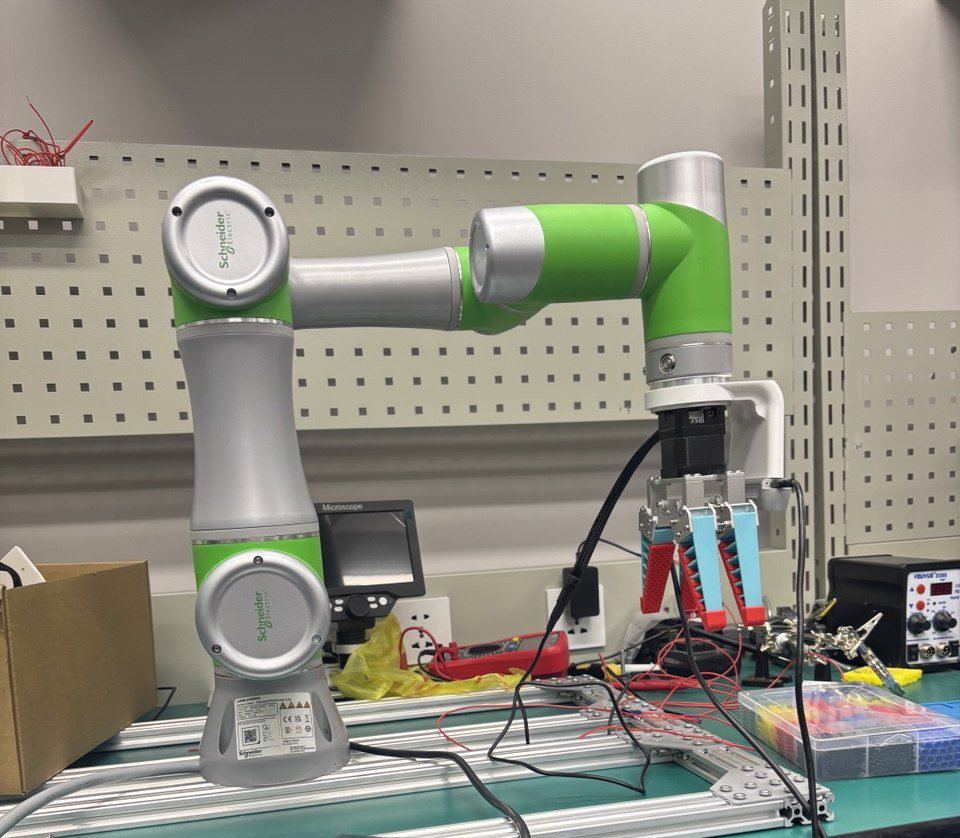
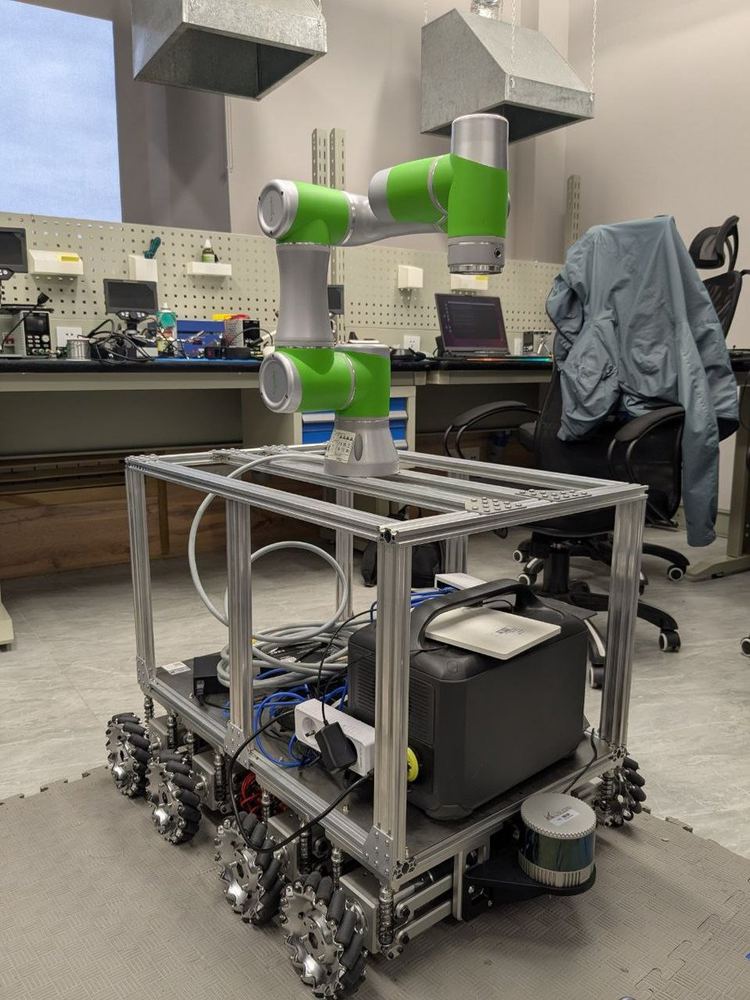
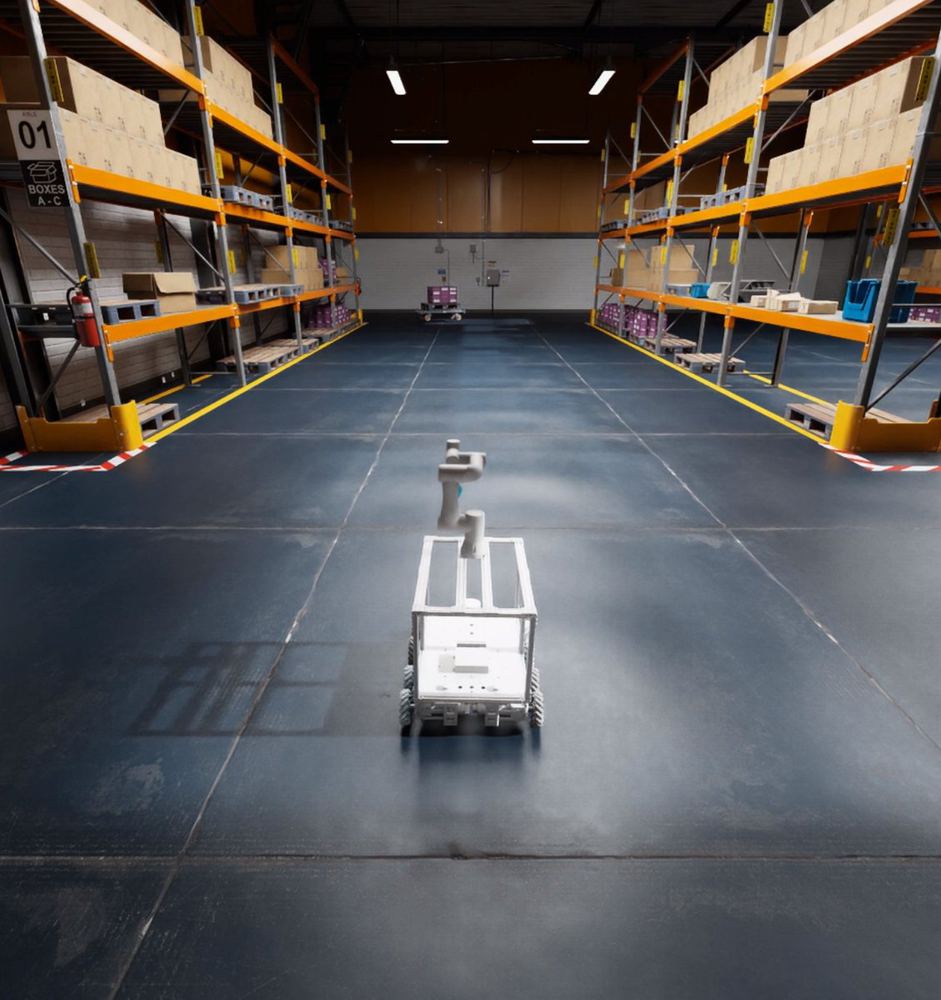
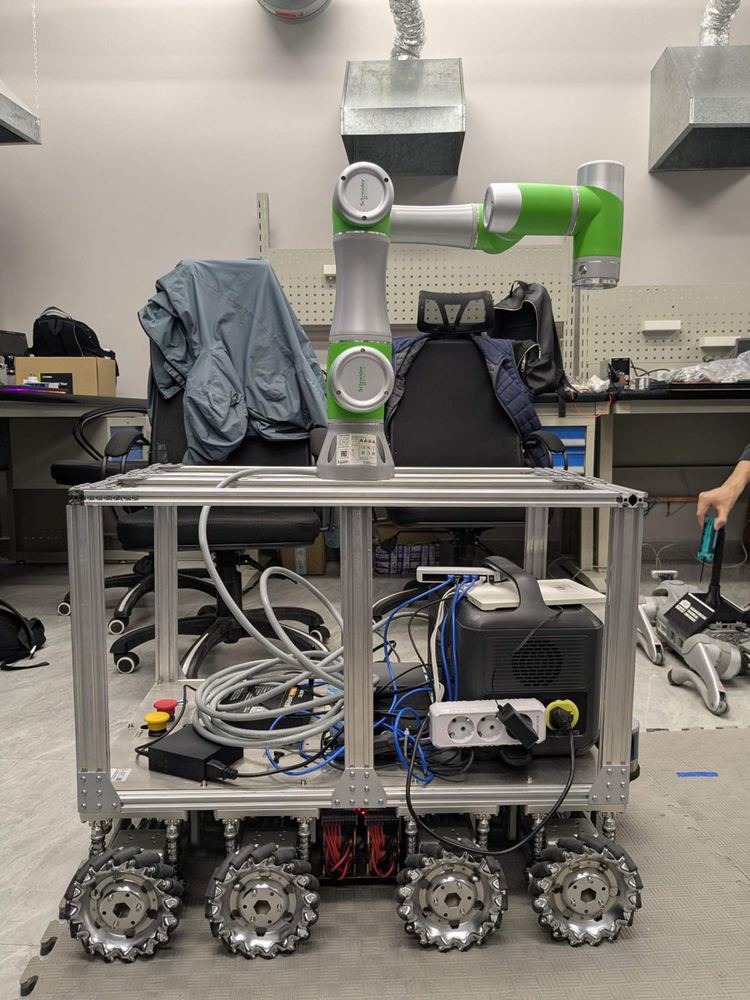
Autonomous mobile manipulator: 8-wheel Mecanum chassis and a Lexium Cobot arm with a soft gripper and camera. In a warehouse it builds its own map, picks goods from shelves and carries them to workstations. In a greenhouse it inspects plants, assesses ripeness, keeps statistics and harvests crops gently.
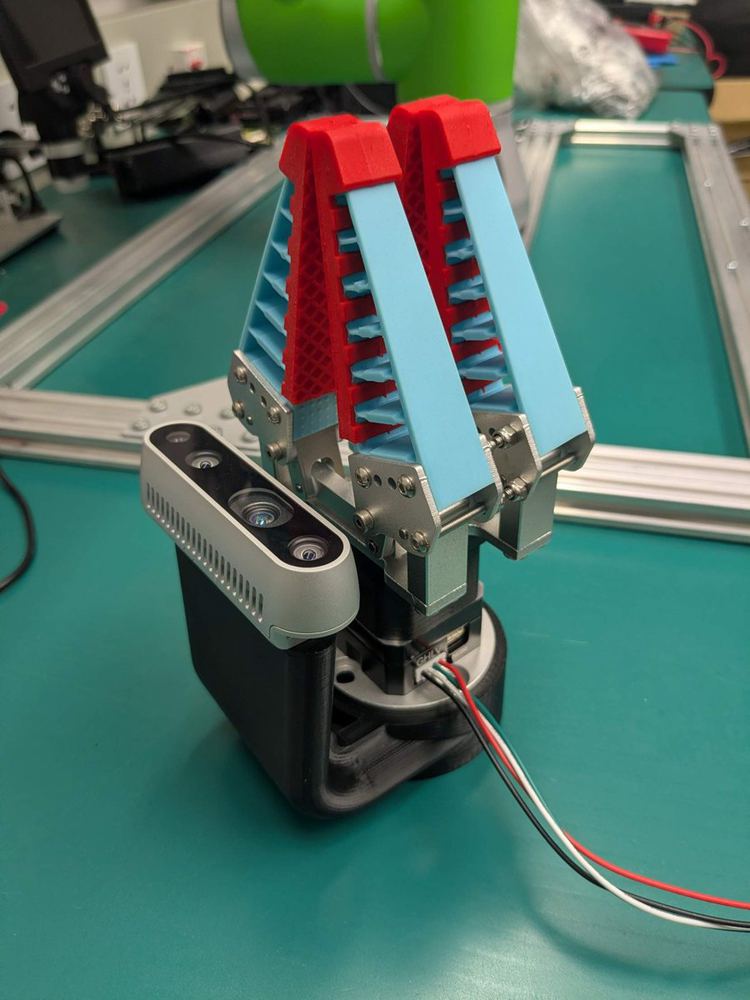
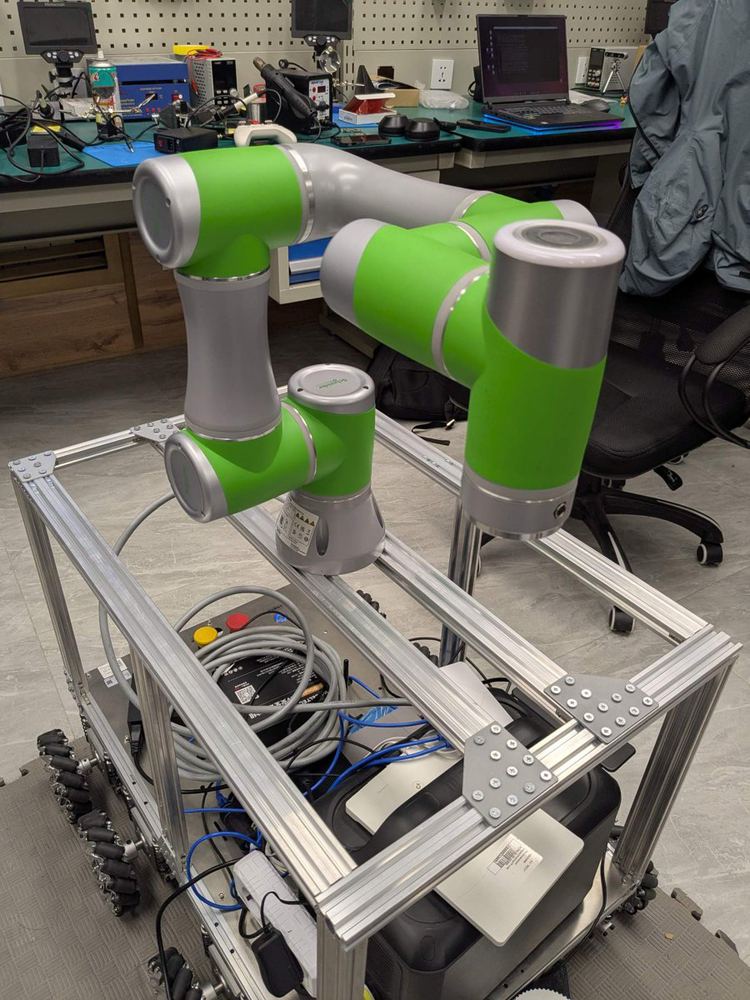
rover with Lexium Cobot · soft gripper with D435 camera · arm on the frame
8wheelsMecanum: forward, sideways and turn on the spot
90kgchassis payload — arm, goods, harvest crates
4fingerssoft gripper — fruit without damage
1–2cmodometry drift when mapping a room
scroll
02 · 3D model
The rover in a warehouse and a greenhouse — right in the browser
The model is built from the URDF description the robot uses in Isaac Sim: chassis, eight wheels, frame, manipulator, sensors and electronics. You can switch the scene: a conventional warehouse with racks or a hydroponic greenhouse. Drive the rover: the wheels turn according to the Mecanum drive equations, and the speed of each wheel is shown at the bottom right.
3D loads when you scroll here
W/S fwd/back · A/D sideways · Q/E turn · space stop · mouse — viewforward +0.00 m/s sideways +0.00 m/s turn +0.00 rad/s
WS forward / back along the aisle
AD sideways — to a shelf or plant
QE turn on the spot
space stop
mouse rotate view, wheel — zoom
buttons highlight a rover part
03 · Warehouse and greenhouse
One platform — two jobs
The base is common: the rover builds its own map, moves among people and obstacles and brings the arm to the right place without any changes to the premises. What changes is what the arm does — moves goods in a warehouse or harvests crops in a greenhouse.
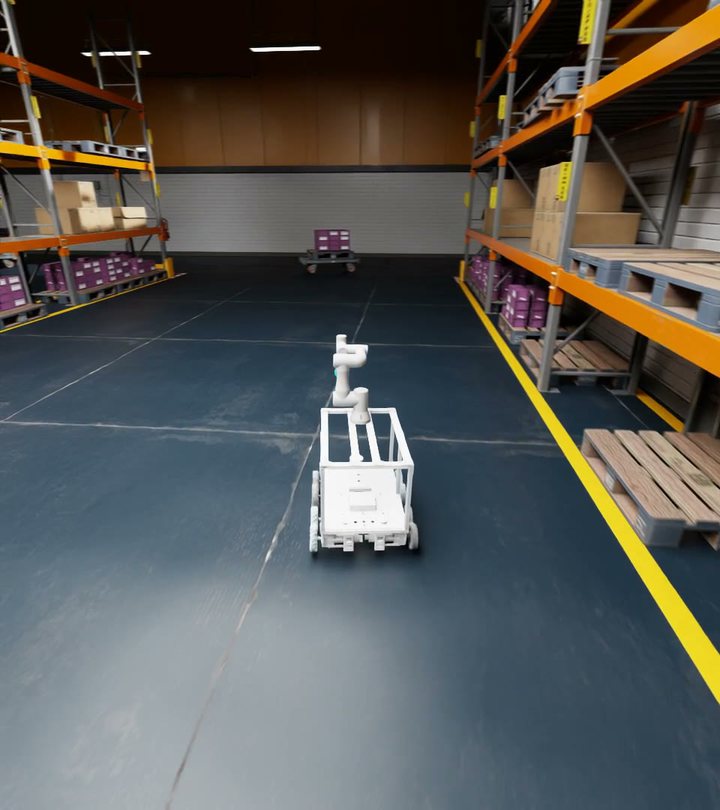
Warehouse
Inside a warehouse
Moving goods between storage zones, picking from shelves and delivering to workstations — today this is mostly manual work.
builds its own warehouse map and drives around it among people
unlike an AGV, needs no lines or markers on the floor
ArUco markers — exact position at the rack
the arm picks up and places goods in a narrow aisle
Hydroponic greenhouse
In a greenhouse
Level aisles and plants in fixed places make an ideal environment for a robot. Yet inspection, harvesting and care are still done by hand.
plant inspection and ripeness assessment
detecting spoiled and diseased fruit
statistics for each plant and for the harvest
selective harvesting with a soft gripper, pruning
The work cycle is the same
ApproachThe rover localises on the map and drives to a rack or row, slowing down and stopping for people and obstacles.
Precise alignmentDepth cameras find ArUco markers — the exact position relative to the shelf or row — and the objects themselves.
Grasp3D coordinates are passed to the manipulation system: the arm plans a collision-free path and picks up the item or fruit.
NextThe rover drives to the next point; in a greenhouse each observation is also recorded in a per-plant database.
In a greenhouse — also an agronomist
1MonitoringThe camera inspects each plant and its fruit.
2RipenessA neural network assesses ripeness and detects diseased fruit.
3StatisticsRecords for each plant and for the harvest as a whole.
4Harvesting and careOnly ripe fruit, undamaged; pruning of weak plants.
04 · Manipulator
Soft gripper andcamera on the arm
The collaborative arm works safely beside people, and the soft fingers pick fragile fruit and objects of different shapes and sizes without damage. The camera is mounted right on the wrist — an eye-in-hand.
Soft four-finger gripper and RealSense D435Gripper on the Lexium Cobot flangeArm on an aluminium-profile frame
Arm
Schneider Electric Lexium Cobot
six axes, collaborative
picks up and carries goods, detaches fruit
connected to ROS 2, own URDF model with gripper and camera
Vision
RGB-D camera on the arm
Intel RealSense D435: colour + depth
detects plants and fruit, assesses ripeness and condition
hand–eye calibration converts points from the camera frame to arm coordinates
Motion
MoveIt 2 + Isaac Sim
collision-free path planning around plants
gentle grasping strategies
physics, collisions and grasping are first checked in the digital twin
05 · Map and navigation
The rover builds the warehouse or greenhouse map itself
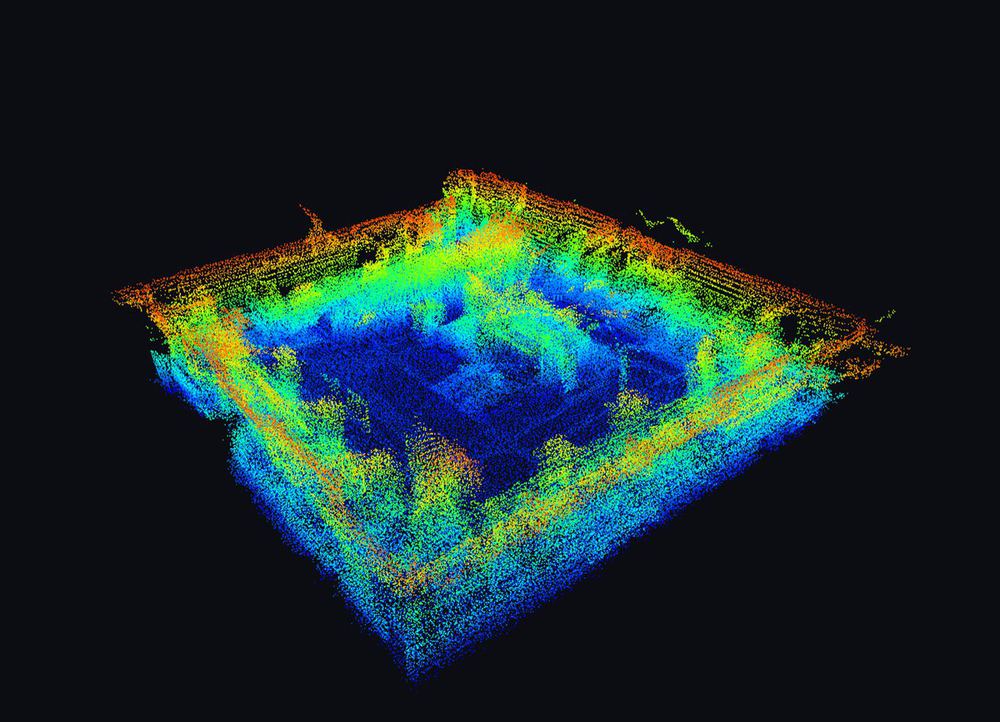
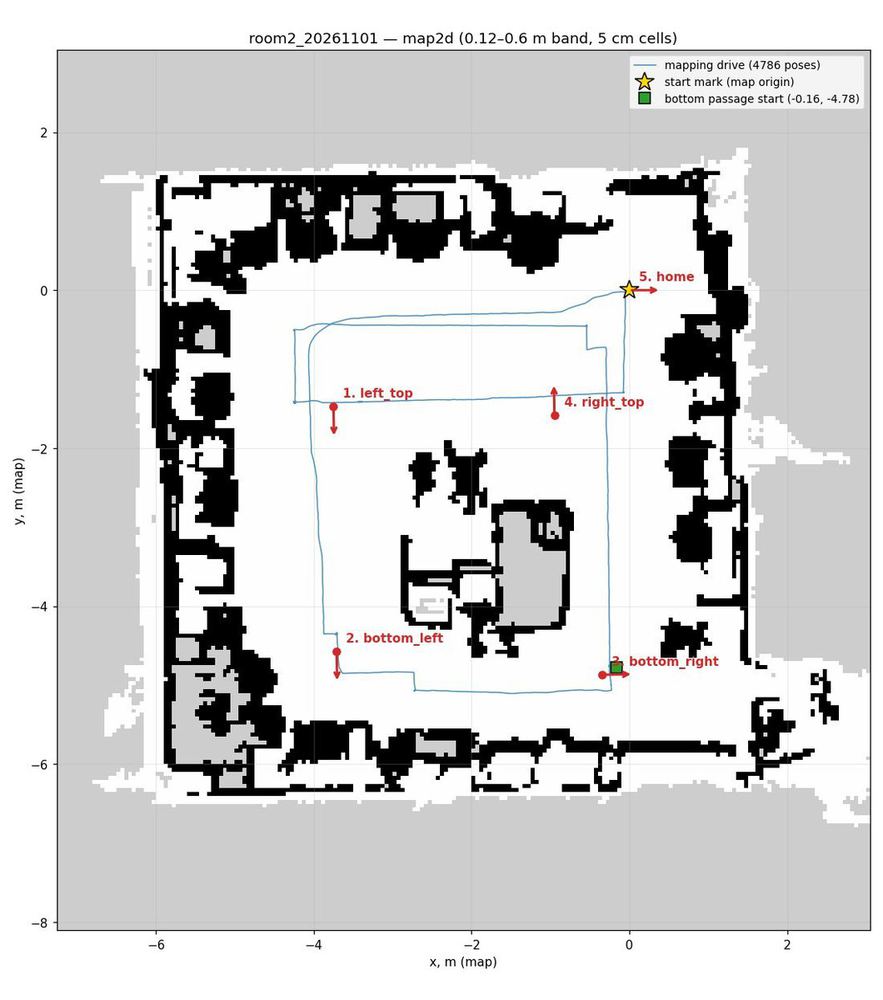
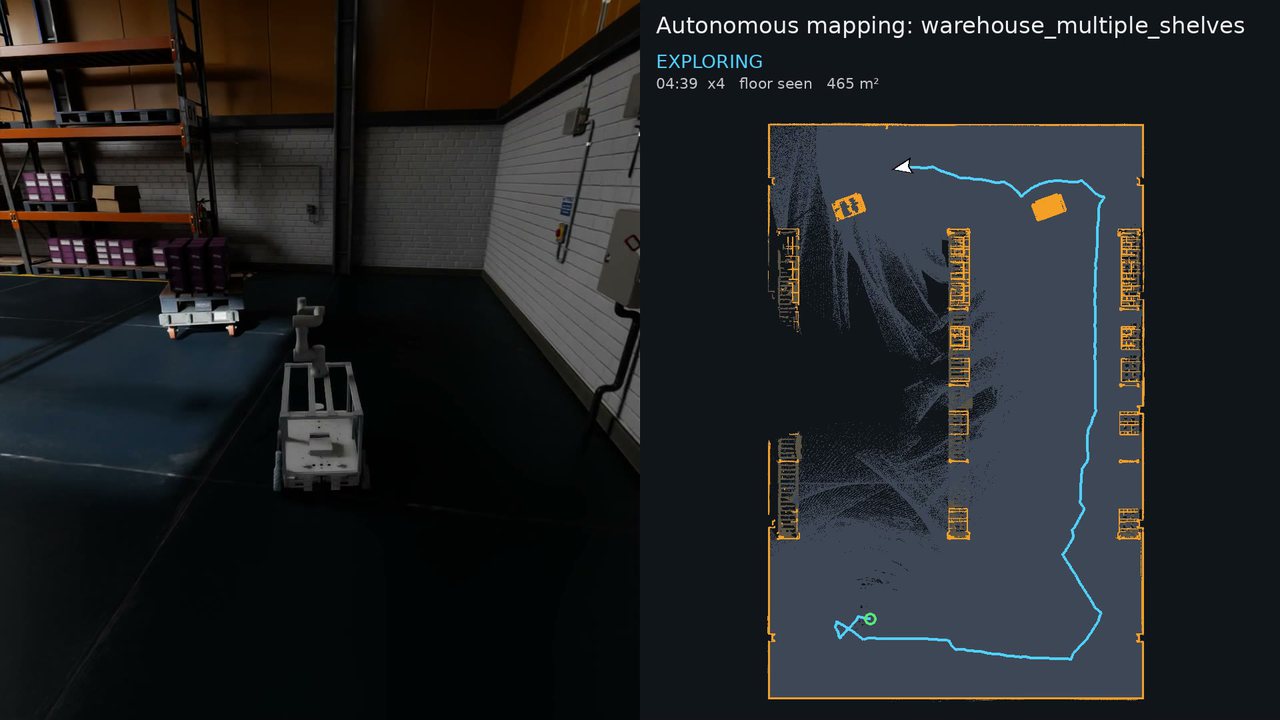
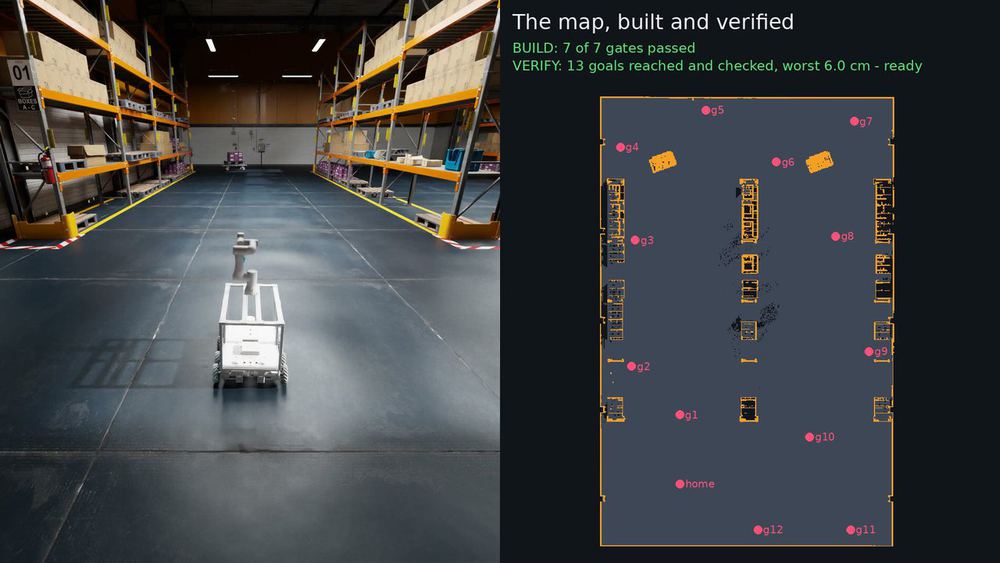
The map is built once: the rover drives around the area inside the geofence by itself, builds and verifies the 3D and2D map, and workstations, storage places and rows are saved on it as goals. Lidar and IMU are fused into FAST-LIO odometry, and Nav2 with the MPPI controller navigates on the saved map.
✓Real rover: 3D mapLab map built by FAST-LIO. Odometry drift in the room is 1–2 cm.
✓Real rover: 2D mapSurvey path and navigation goals; on the saved map the rover reaches the points by itself.
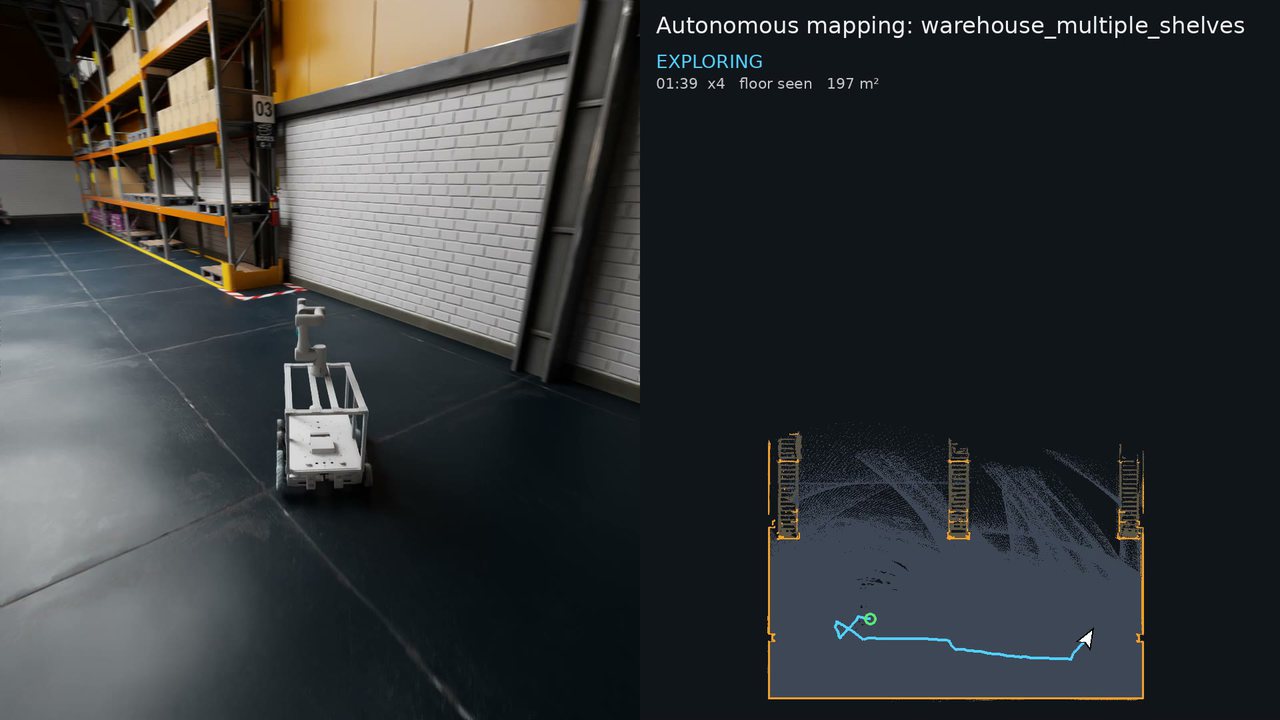
1Exploration · EXPLOREThe rover drives by itself to the edge of the unexplored area. In this mission it saw 570 m² of floor in 7 min 11 s and returned to the start.
2Assembly · BUILDA map is built from the recorded run: point cloud, floor grid and a localisation target. 7 of 7 checks passed.
3Verification · VERIFYNav2 drives the rover to 13 points of the new map, and localisation is compared with simulator ground truth. Worst error — 6.0 cm.
Isaac Sim · autonomous mission · ×4
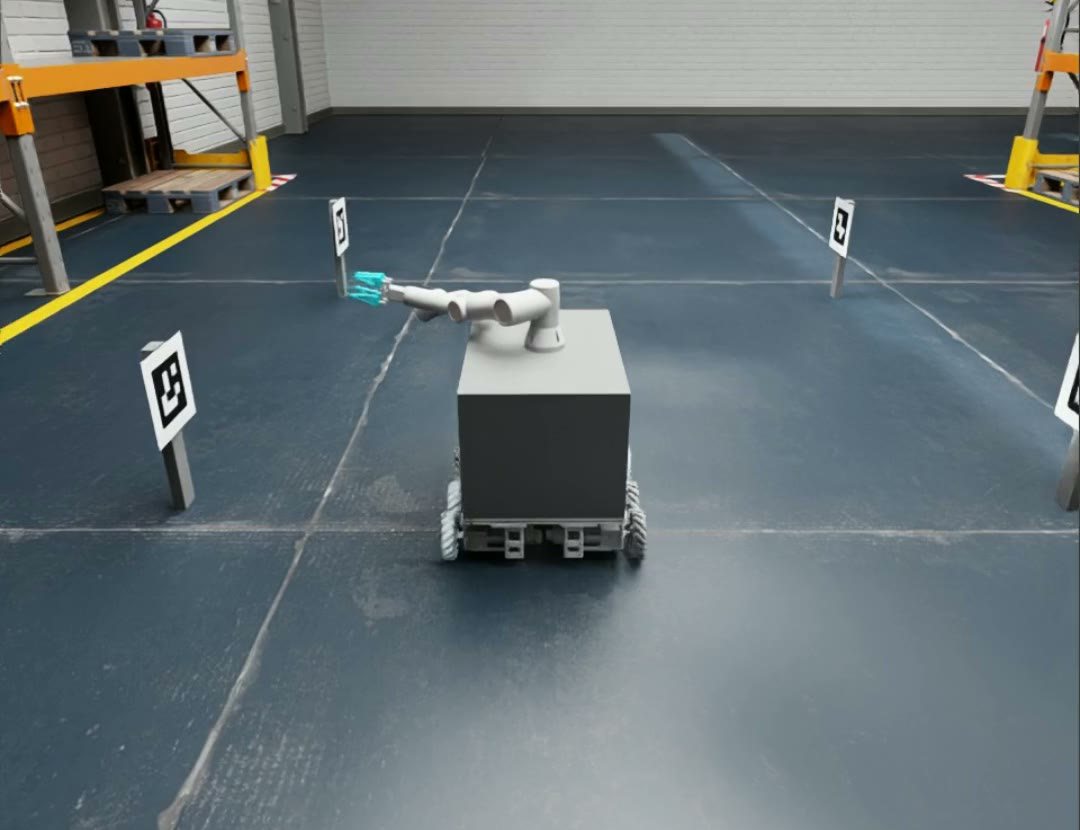
Autonomous exploration has been run in the digital twin on a warehouse scene in Isaac Sim; greenhouse aisles are laid out the same way — level rows with a regular pitch. The twin publishes the same topics as the real robot, so the same code runs on the rover unchanged.
06 · ArUco markers
Exactly to the shelf or row — by markers
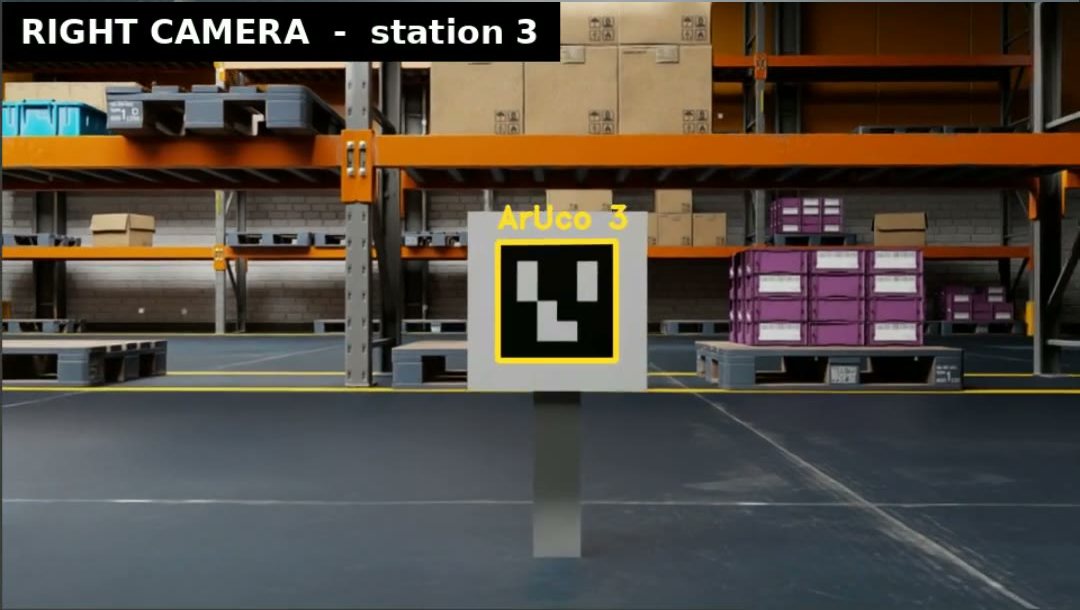
The map gives position to within centimetres, but the arm needs more. Depth cameras find ArUco markers — they give the rover's exact position relative to the rack or row — and the objects to grasp; their 3D coordinates are passed to the manipulation system.
0:38 · Isaac Sim · scene on top, rover camera in the middle, plan below · ×1.5
MISSIONdrives to the next station
DOCKINGsees the marker and adjusts
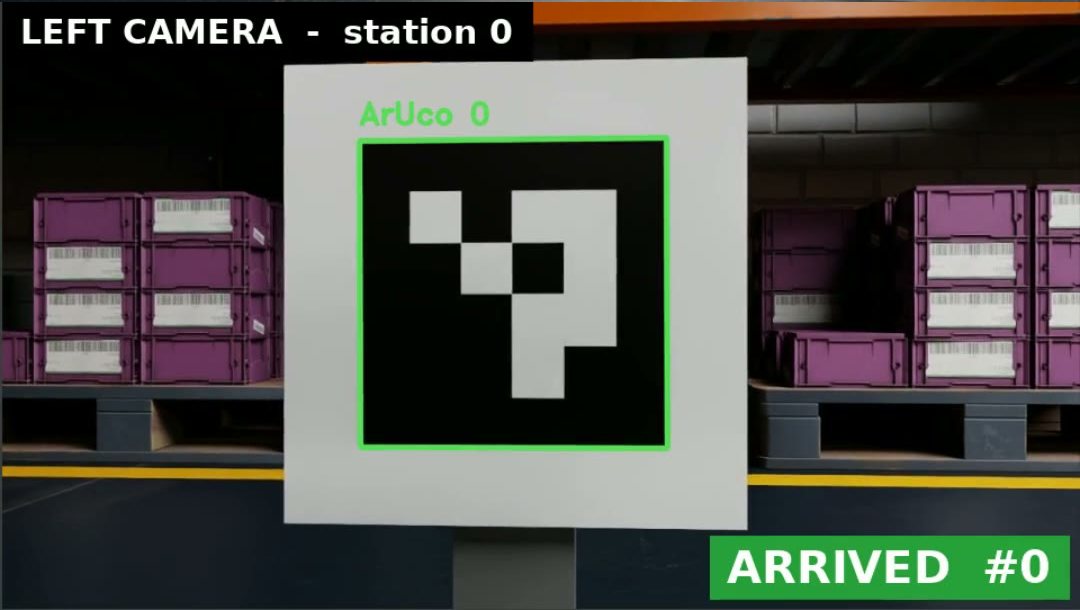
ARRIVED #Nstation reached
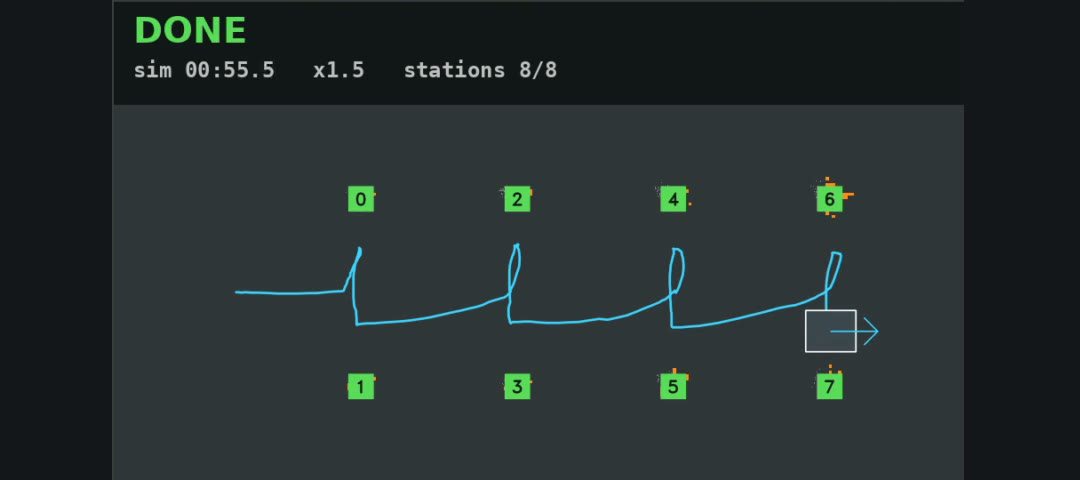
DONEall 8 stations — in 55.5 s of simulation
Right camera: marker of station 3 foundLeft camera: ARRIVED #0Rover with arm between stationsPlan: 8 of 8, serpentine path
Simulation demo: 8 stations on both sides of an aisle, the rover looks for them with its left and right cameras. In a warehouse the markers are placed at racks and workstations, in a greenhouse — at rows.
07 · Hardware
What the rover is made of
Modular design: any unit can be replaced or extended without redoing the whole system. Specifications are taken from team and manufacturer documents.
Chassis
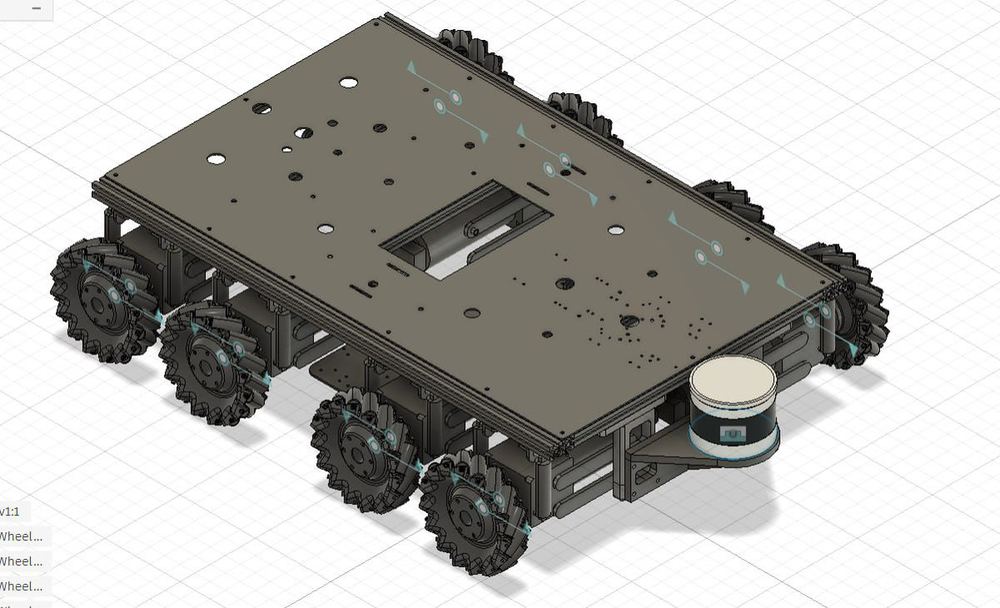
WHEELTEC R680
8 Mecanum wheels Ø 152 mm, 8 motors with encoders
movement in any direction, wheel odometry
payload up to 90 kg, 24 V battery
Main computer
NVIDIA Jetson AGX Thor
SLAM, navigation, autonomous exploration
GPU vision
web server for control
Chassis controller
D-Robotics RDK X5
motor commands and odometry
battery voltage
watchdog: stop after 0.5 s without commands
Lidar
LSLIDAR C32
32 beams, 360° view, 10 Hz
map, localisation, obstacles
lowest beam hits the floor at 0.61 m
IMU
WHEELTEC H30
200 Hz — for lidar + IMU odometry
detects wheel slip
Cameras
Intel RealSense D435i × 4
RGB-D on all four sides of the rover
people, ArUco markers, goods and fruit
rear one — for reversing
Manipulation
Lexium Cobot + soft gripper
6 axes, Schneider Electric
four-finger soft gripper
RealSense D435 on the wrist
Frame
Aluminium profile
six 400 mm posts
upper frame — for the arm and electronics
sensor mounts are printed on a 3D printer
Power
24 V + GS1200
24 V battery — chassis
GS1200 station — Thor, lidar and manipulator
own router: ROS traffic stays on board
08 · Architecture
Who is responsible for what
Everything is built on ROS 2: the chassis driver runs on the RDK X5, while lidar, IMU, SLAM, navigation and vision run on the Jetson Thor, in one coordinate tree from the common robot model. Detected goods, fruit and markers are sent as 3D goals to the manipulation system.
← the diagram scrolls sideways →
Web interface on Thor
Monitoring and control from a browser
status, battery, pose, 2D and 3D map
own thin gateway — the browser does not see ROS directly
triple protection when driving manually: stop on key release, zero after 0.3 s of silence, the rover stops by itself after 0.5 s
Every algorithm is first tested in the NVIDIA Isaac Sim digital twin, which publishes the same topics as the real robot — so the same code runs on the rover unchanged.
09 · Stages and team
What is done and what's next
The rover already builds a room map with a drift of 1–2 cm and reaches goals on the saved map by itself; in simulation it explored a 495 m² warehouse in under 10 minutes. The next big step is a full cycle with the arm: in a warehouse and in a greenhouse.
Step 1done
Model and assemblyFusion 360 and URDF, printed mounts, chassis + Thor + sensors + frame
Step 2done
Map and localisationFAST-LIO, lab map, localisation on the saved map
Step 3in progress
Nav2 navigationthe rover reaches goals; narrow aisles and people nearby
Step 4in progress
Autonomous explorationin simulation — from exploration to a verified map
Step 5in progress
Visioncamera calibration, ArUco, recognition of plants and fruit
Step 6in progress
Arm in ROS 2Lexium Cobot, soft gripper, MoveIt 2, hand–eye calibration
Step 7in progress
Web interfacemap, battery and control from a browser
Step 8next
Harvest statisticsfor the greenhouse: a database of observations for each plant
Step 9next
Full cycle in a warehouse and a greenhouseapproach, marker alignment, grasp and next point — on the real rover
Team · mobile platform
Rover on Jetson Thor
Sauletkali Sanzhar Rauanuly
Chistyakov Maxim
Kanafin Iskander
Belinskiy Dmitriy
Team · manipulation
Lexium Agro
Sestrevatovskiy Ratmir Aleksandrovich
Jumashev Tair Salavatovich
Kaldybekov Adilkhan Yerbolatuly
Maytan Yerassyl Melsuly
10 · Gallery
Gallery
Photos of the real rover and frames from the digital twin. Click to enlarge.
Assembled rover with Lexium CobotGripper on the armPlatform model in Fusion 3603D map of the lab (FAST-LIO)Soft fingers and RealSenseDigital twin in Isaac Sim2D map: path and goalsAutonomous exploration in simulationArm on the rover frameRover camera: ArUco markerMap built and verifiedRover with arm in simulation
 Warehouse